Awesome Keyboard · iPhone
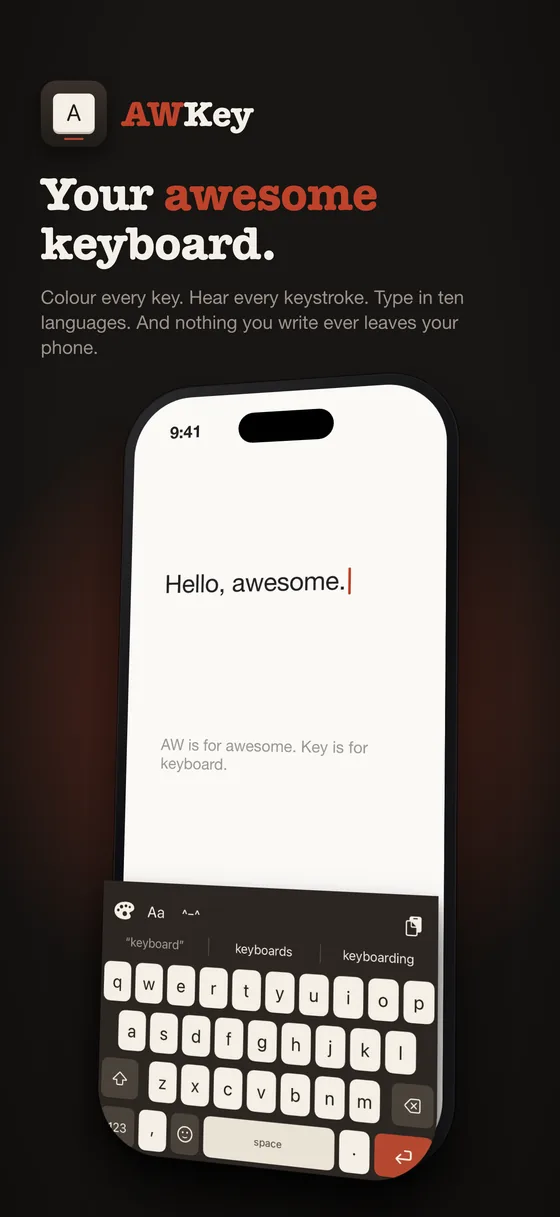
Your awesome keyboard.
Colour every key. Hear every keystroke. Type in ten languages. And nothing you write ever leaves your phone.
Every key
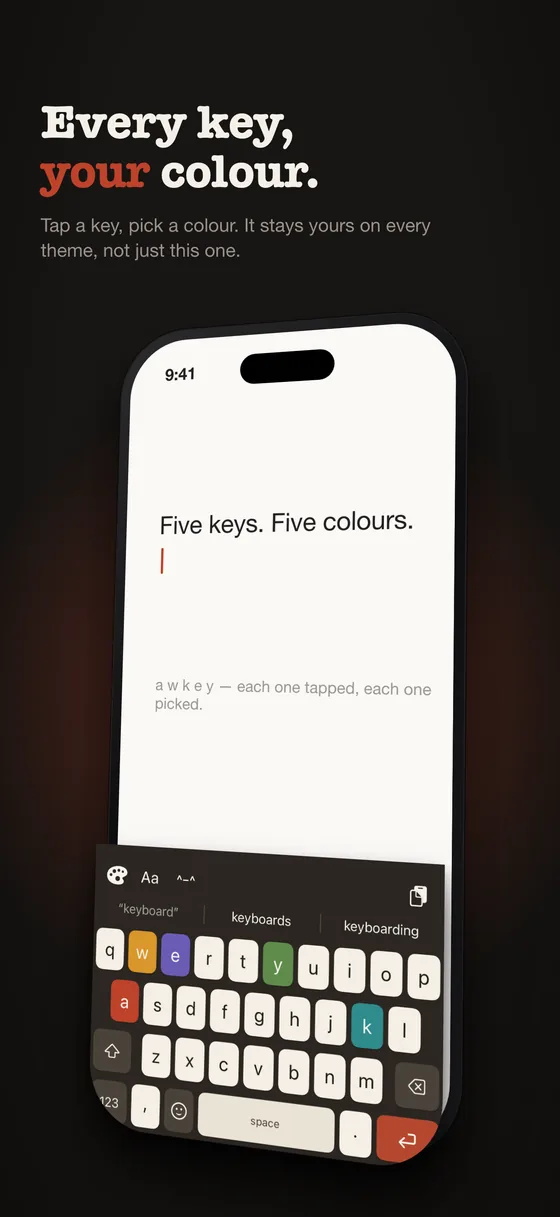
Every key, your colour.
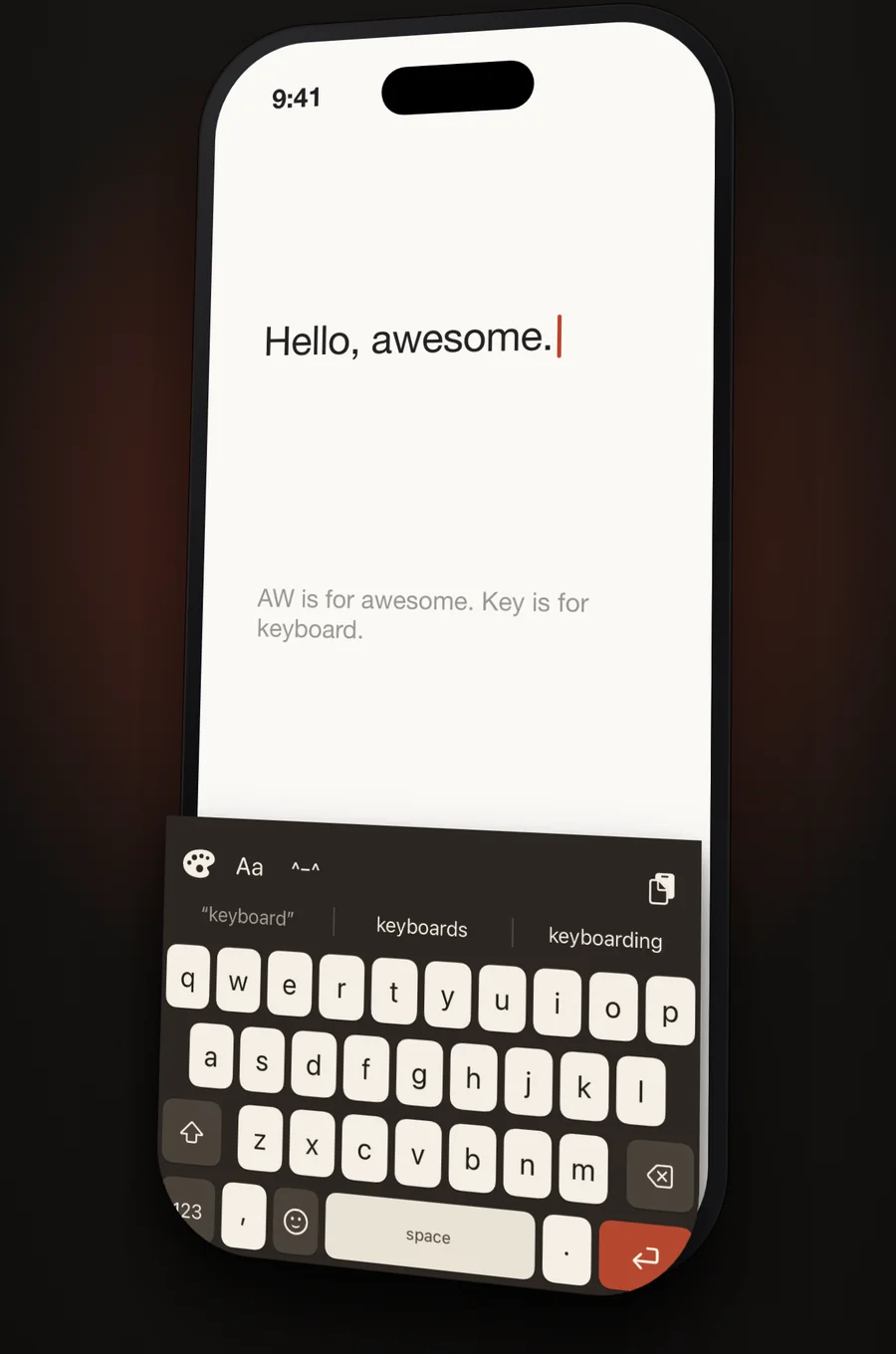
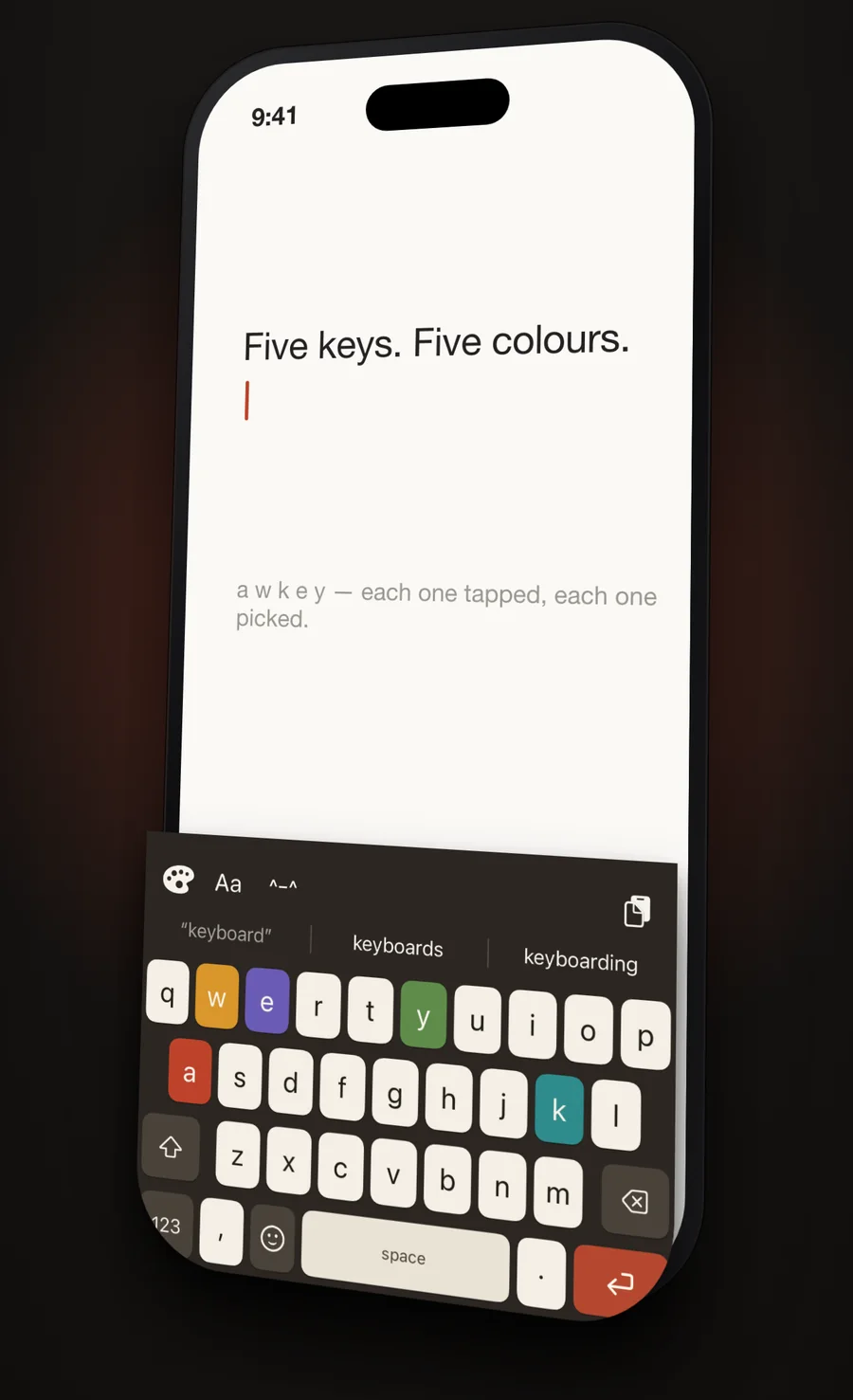
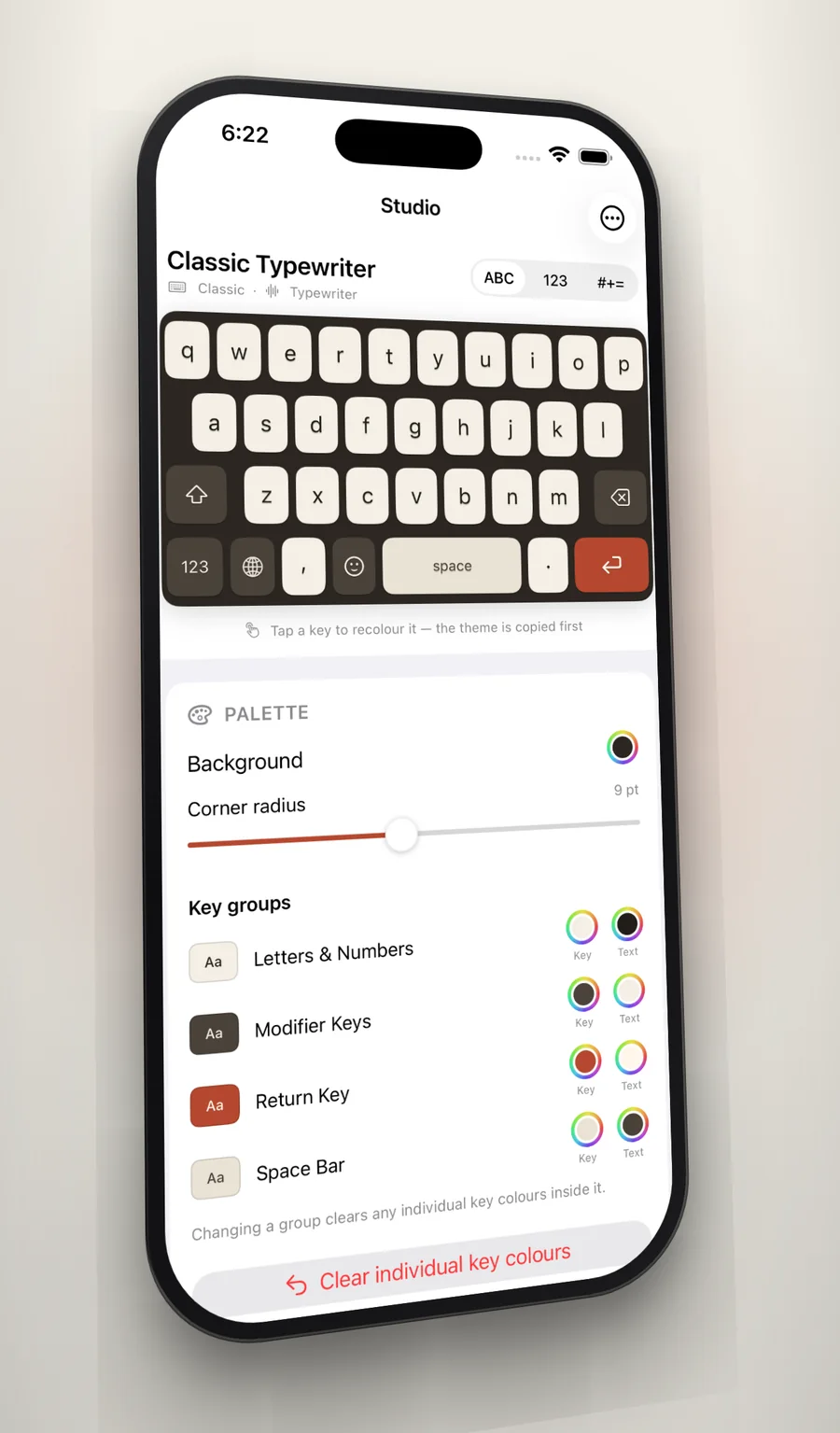
Most keyboards give you a theme. AWKey gives you a key. Tap any key in the app and colour it, and it stays that colour on every layout and on both cases of the letter — identity follows the key, not the position.
Built-in themes are never overwritten. The first edit quietly forks a copy that belongs to you, and a reset takes it back to exactly how it shipped. If a colour you pick would leave the letter unreadable, the label is rescued automatically — unless you set that letter's colour yourself, in which case you meant it.
The one other keyboards do not have
Everything you copied, one tap away.
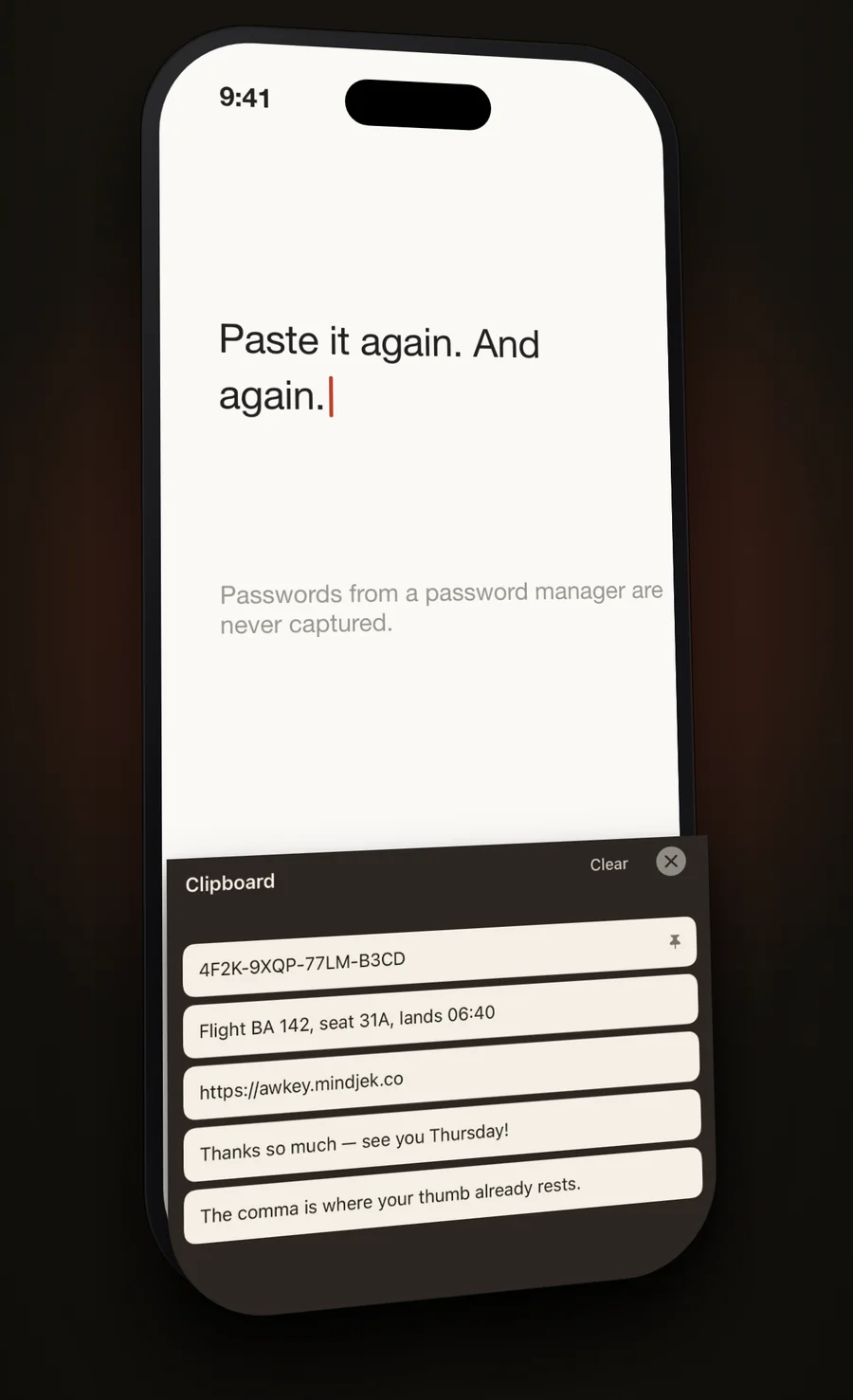
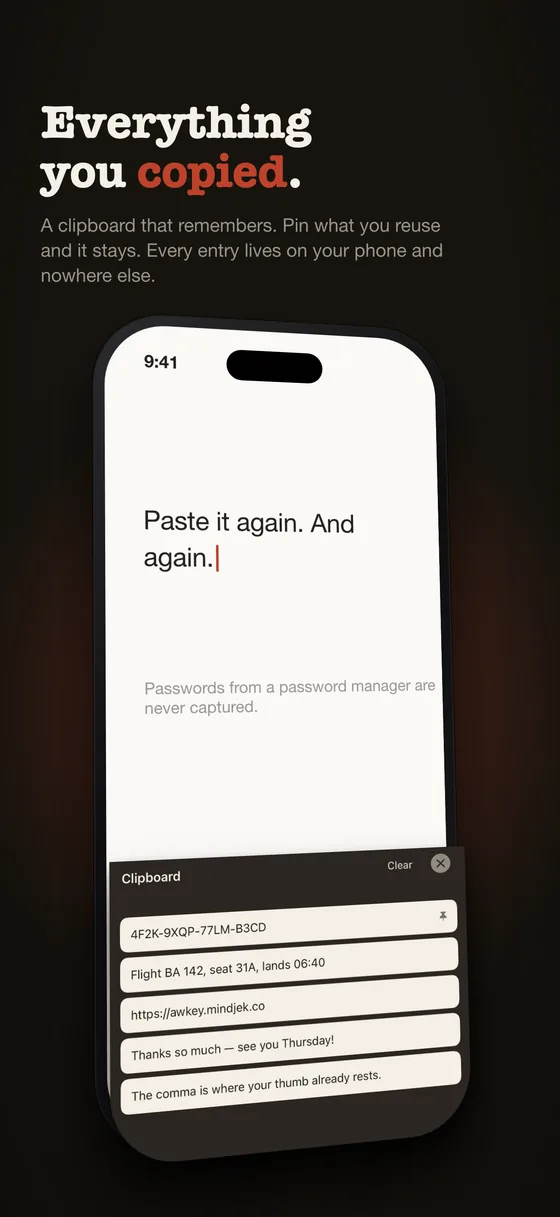
Copy a flight number, a link, a code from a text message, and it is still there when you need it — in the keyboard, where you are already typing, without switching apps. Pin what you reuse and it survives both the fifty-item limit and clearing the history, so pinned entries work as saved snippets.
Auto-capture ships off. That is what makes "AWKey never reads your clipboard on its own" a true sentence rather than a marketing one. Entries that identify themselves as concealed, the convention password managers follow, are skipped entirely, and nothing in the history ever leaves the phone.
The bottom row
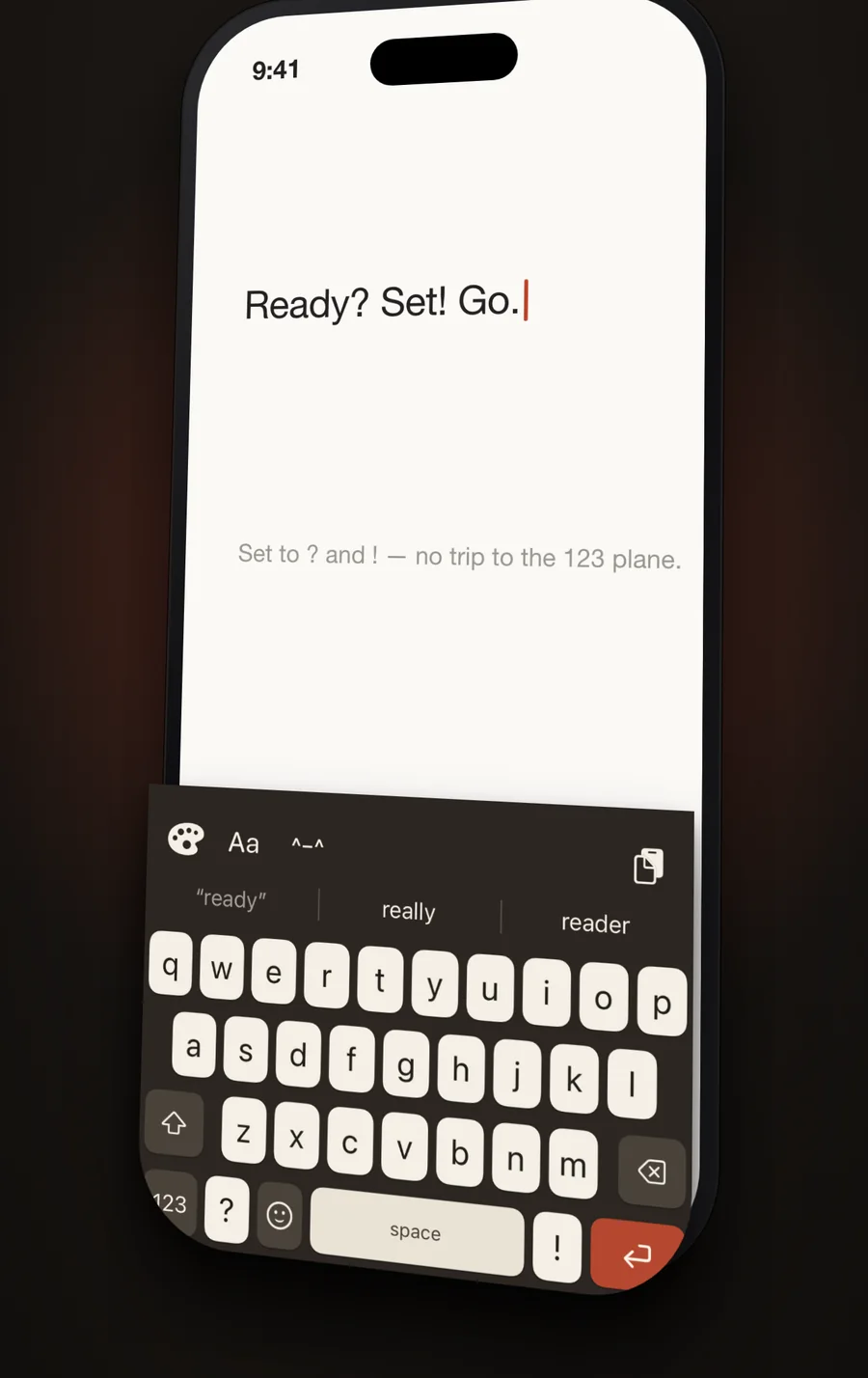
A comma where your thumb already is.
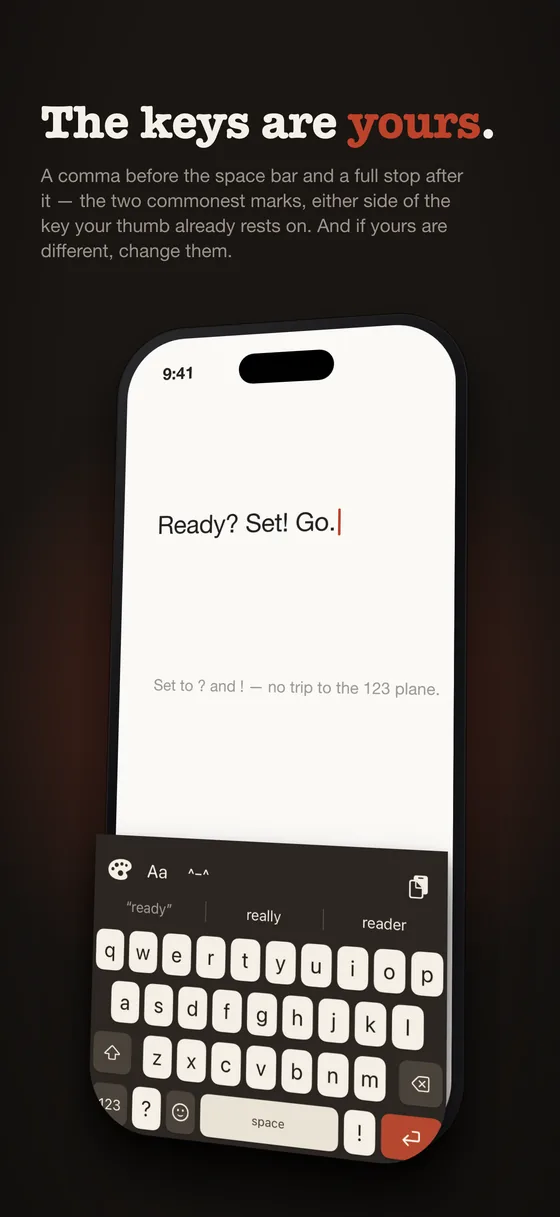
Every other iPhone keyboard makes you go to the 123 plane for a comma. AWKey puts one before the space bar and a full stop after it — the two commonest marks in English, either side of the key your thumb already rests on. It is the single change you feel most in the first minute.
And if your two commonest marks are different, change them. Somebody writing questions all day wants ? there. Somebody writing shell commands wants / or -. Pick from the common marks or type any character you like, including an emoji. No other keyboard lets you decide what a key is for.
The number plane keeps its own comma and full stop, so decimals and dates still work — and an address bar quietly puts the full stop back, because example.com has to stay typable.
The Studio
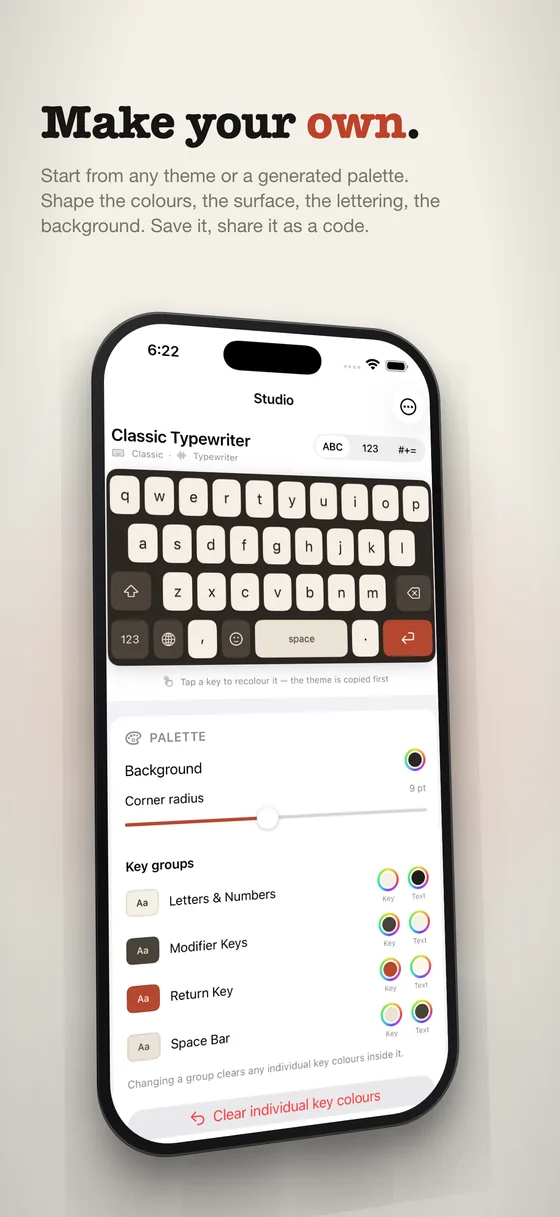
Make your own.
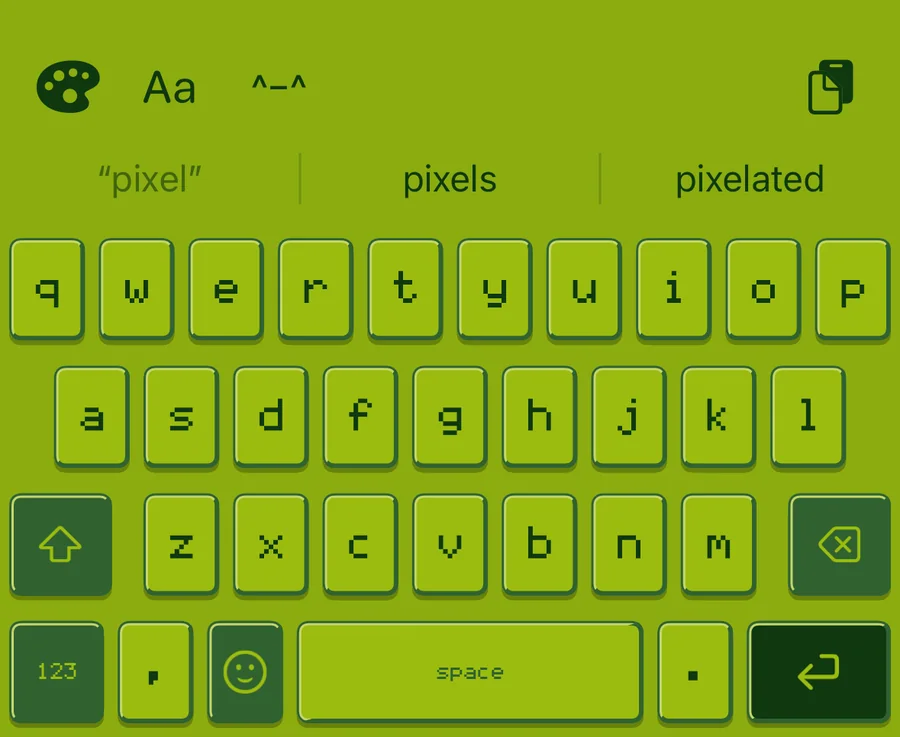
Two keyboards with identical colours look nothing alike once one is chamfered and glossy and the other is moulded. So the Studio gives you the structure too: bevels, chamfers, gloss, shadow, corner radius, and lettering — including a pixel font drawn one dot at a time.
Start from any theme, a generated palette, or a roll of the dice. Save what you make, send it to a friend as a short code, and open one they sent you.
Backgrounds
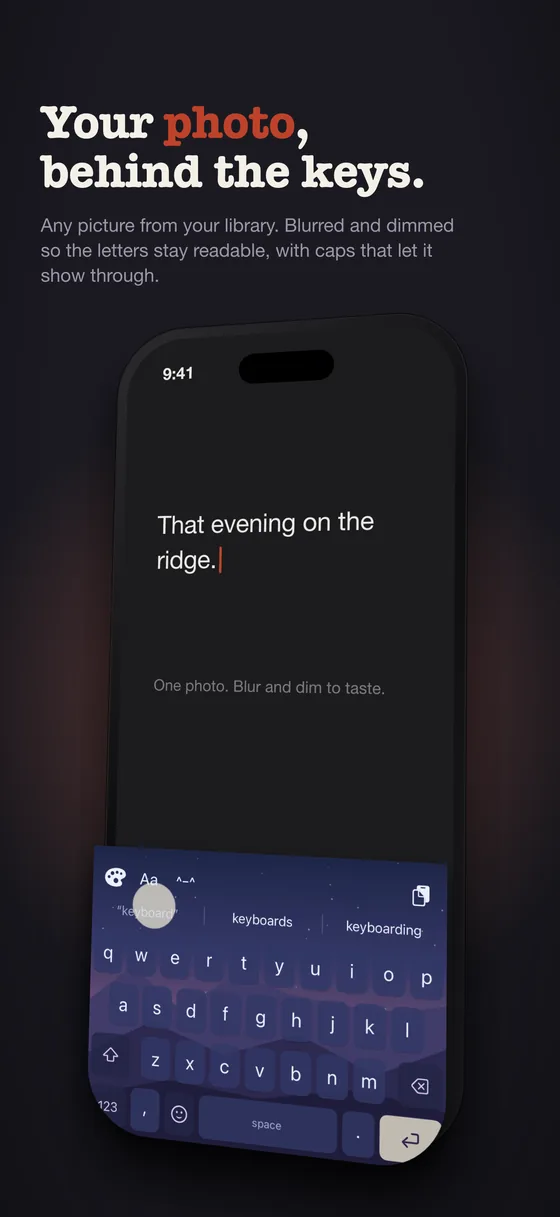
Your photo, behind the keys.
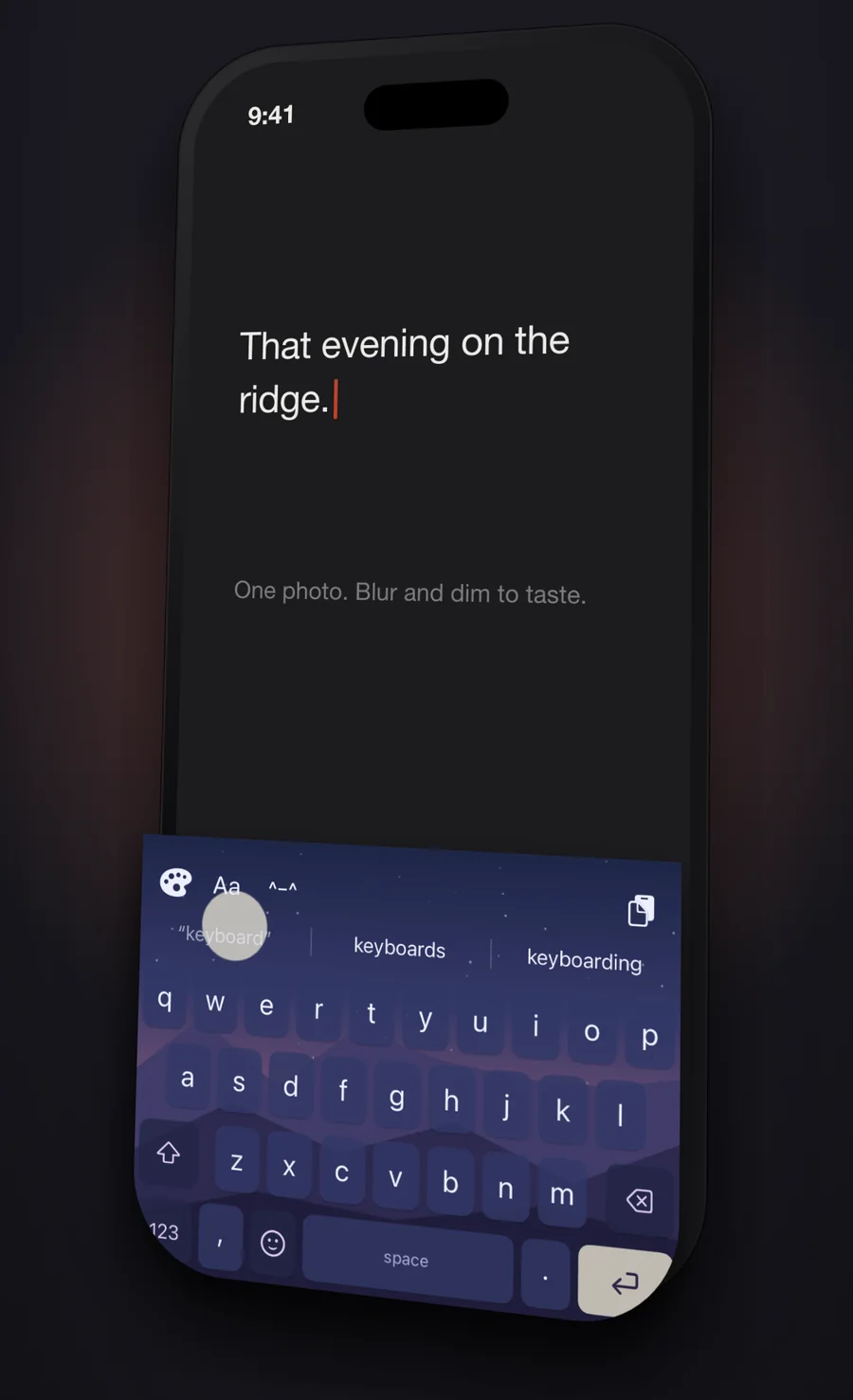
Any picture from your library becomes the keyboard. It is downscaled and the blur is baked into the stored image rather than rendered live, because a blur effect behind thirty keys costs GPU on every keystroke — and a keyboard that stutters is worse than one that is plain.
Dimming and key opacity are what make a photo typable rather than merely decorative. The labels stay fully opaque whatever you do to the keys.
The gallery
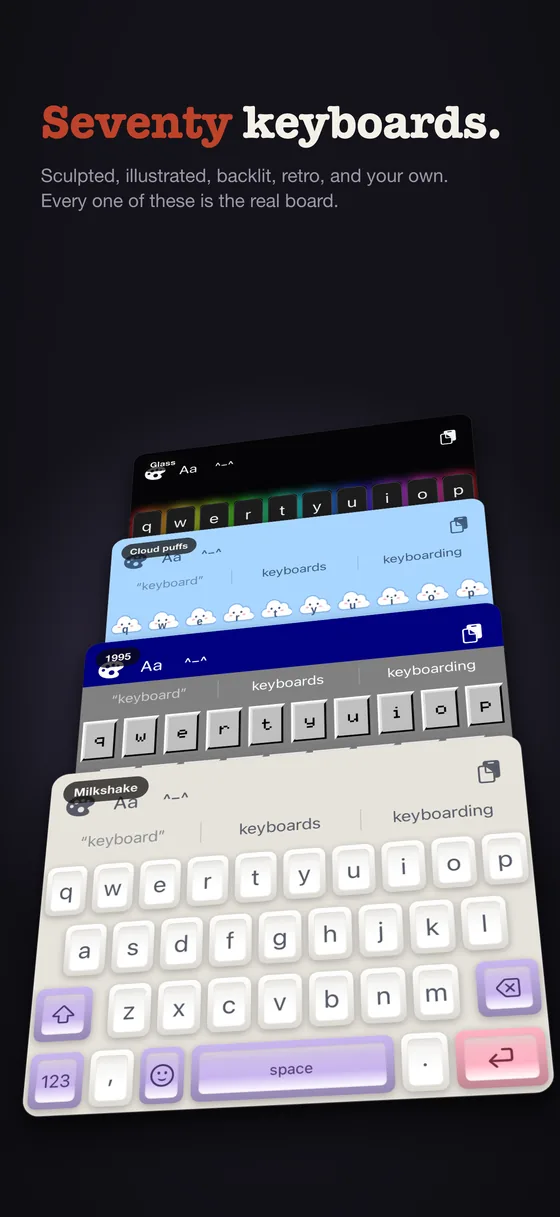
A shelf for every mood.
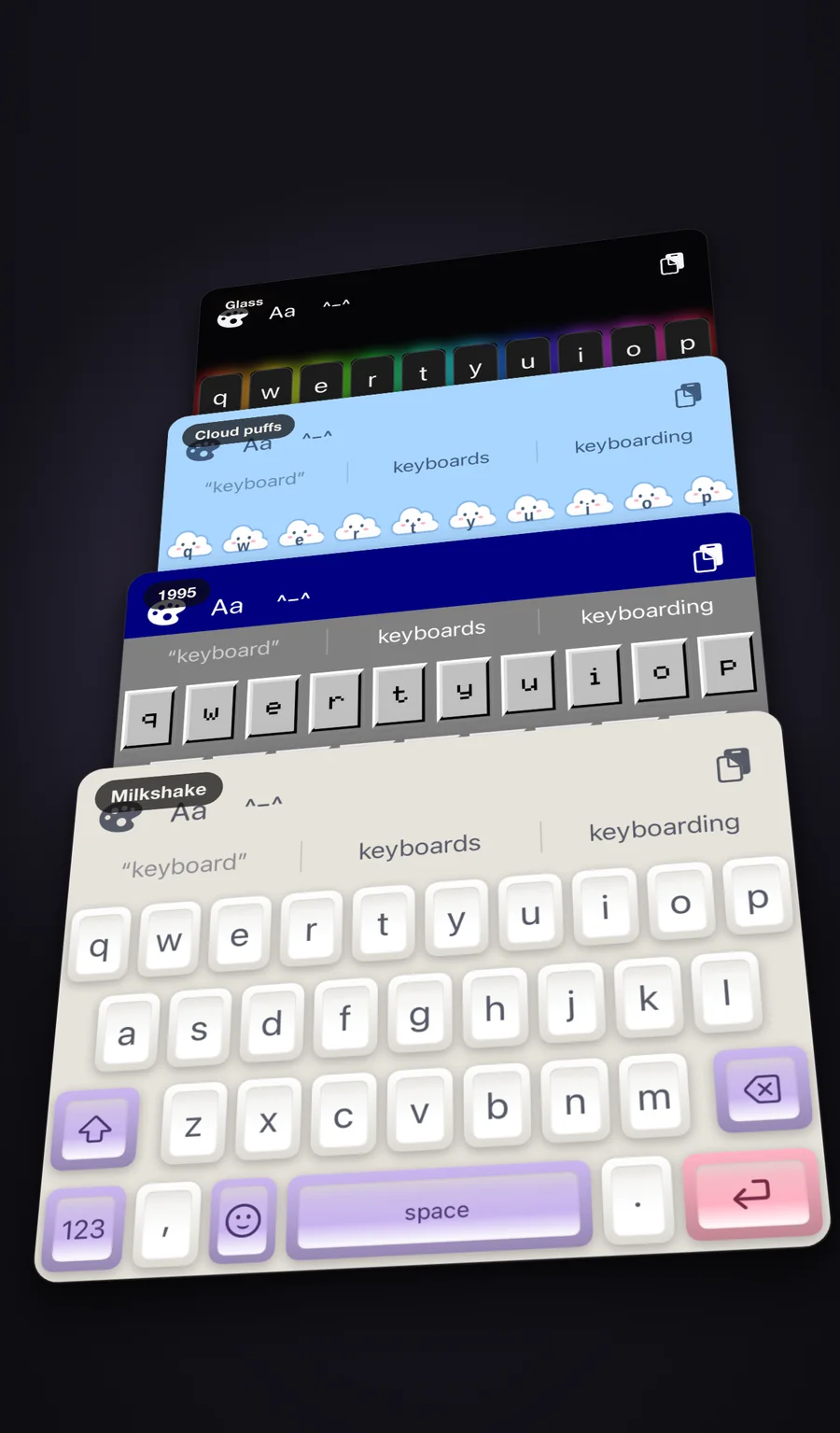
Shelves rather than a list, each a different kind of object rather than a different mood board: moulded caps with a real dish, keys that are pictures, a 1995 title bar, a phosphor terminal, hardware palettes taken from documented sources rather than picked by eye, and translucent boards built for the backlight.
Most of them are free. The shelves whose artwork is drawn by hand are the Pro unlock — and one keyboard on each of those is free too, so you can type on every kind before deciding. New keyboards arrive with updates; nothing is ever taken away.
Backlight
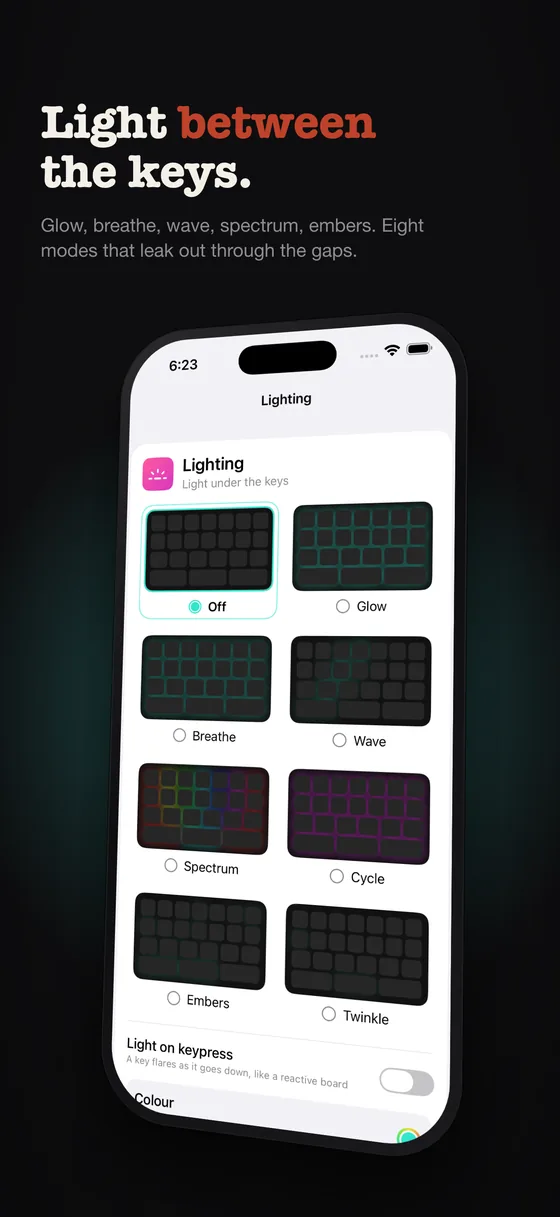
Light between the keys.
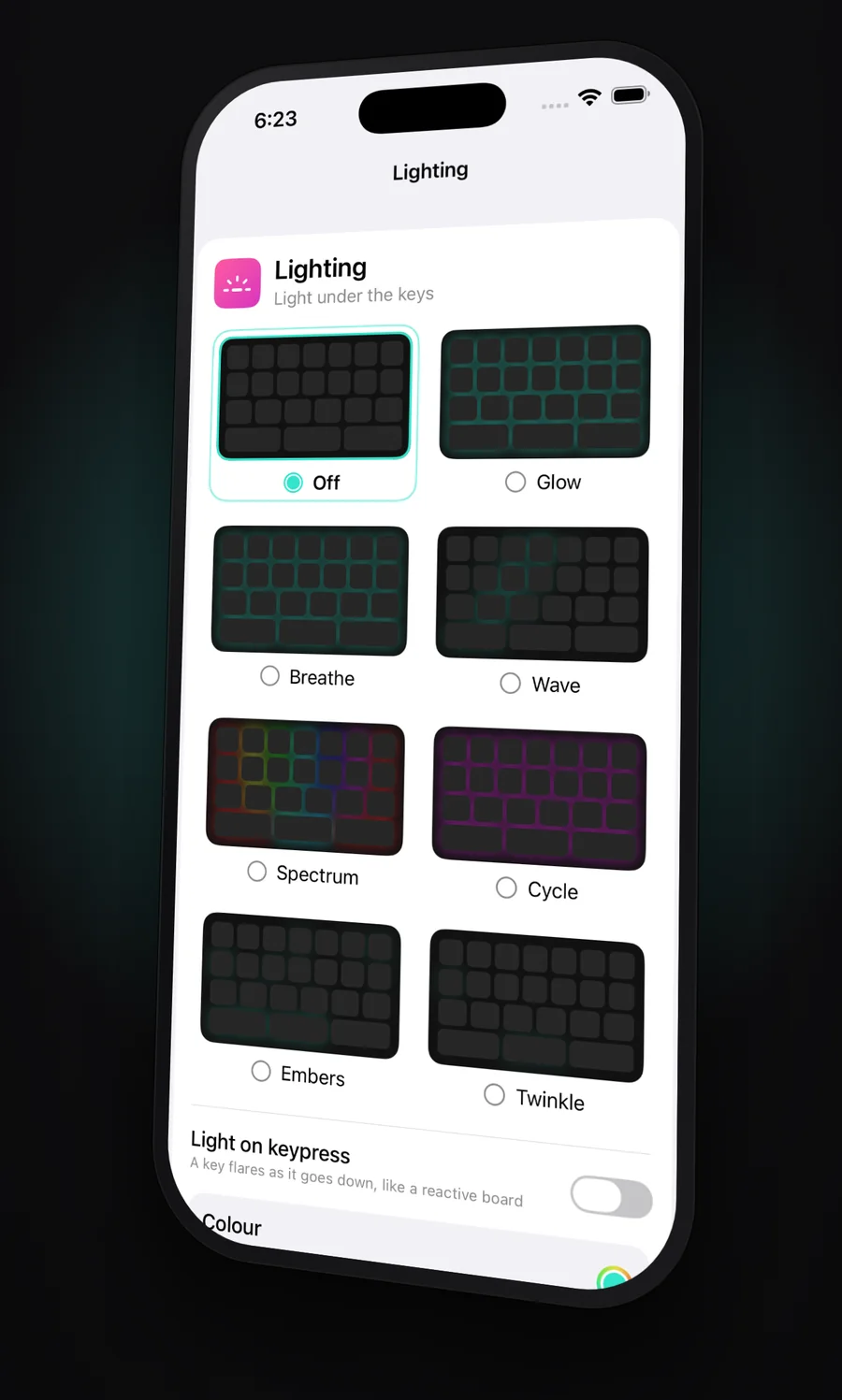
Eight modes — glow, breathe, wave, spectrum, cycle, embers, twinkle — plus a flare on every keypress. A keyboard extension has no surface of its own, so this is light escaping through the gaps, never a panel behind the caps. Only the soft falloff is drawn: fill the halo solid and it reads as a border rather than as light.
Off by default. It costs frames in someone else's app and it only reads well on a dark theme, so it is a choice rather than a default.
Sound
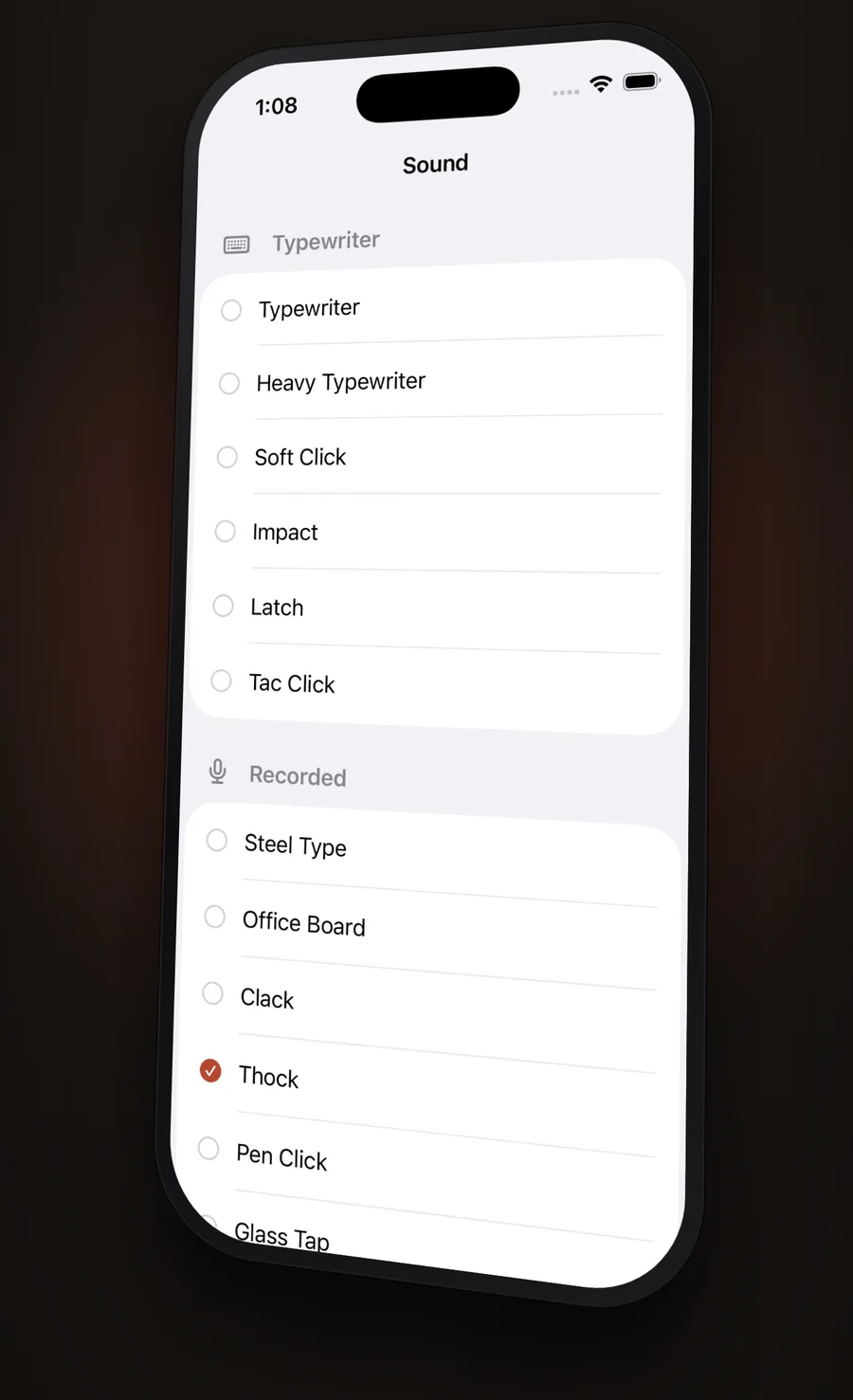
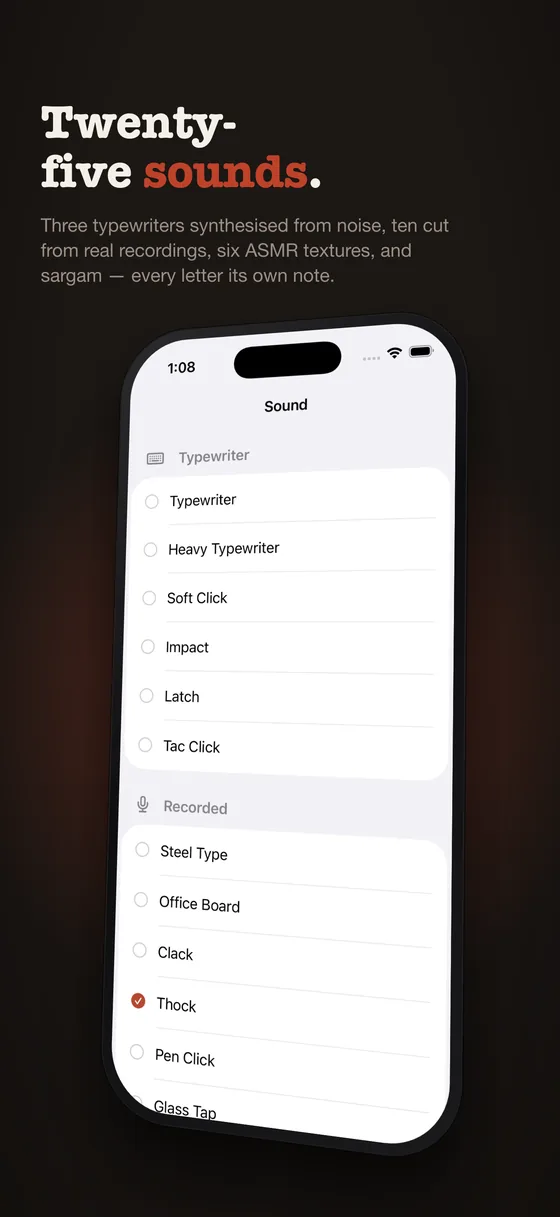
Twenty-five sounds, and one that plays.
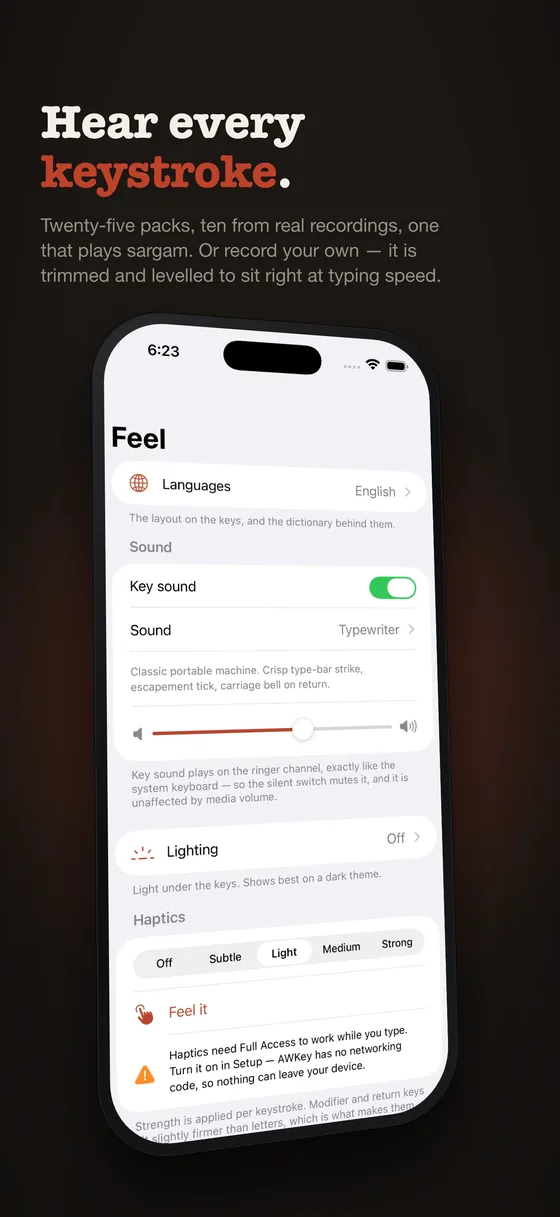
Three typewriters built from noise-excited resonators — an impact is overwhelmingly noise, and modelling it with tuned sine waves gives you a wood block. Ten packs cut from real field recordings: steel type, an office board, a pen click, a light switch, a stapler, a camera shutter, a coin. Six ASMR textures. And Sargam, which gives every letter its own note in just intonation, so the board plays as you type.
Picked in the app, or from the keyboard's own paint panel without leaving what you were writing. The silent switch mutes it, exactly like the system keyboard, so there is no mute button to find.
Your own
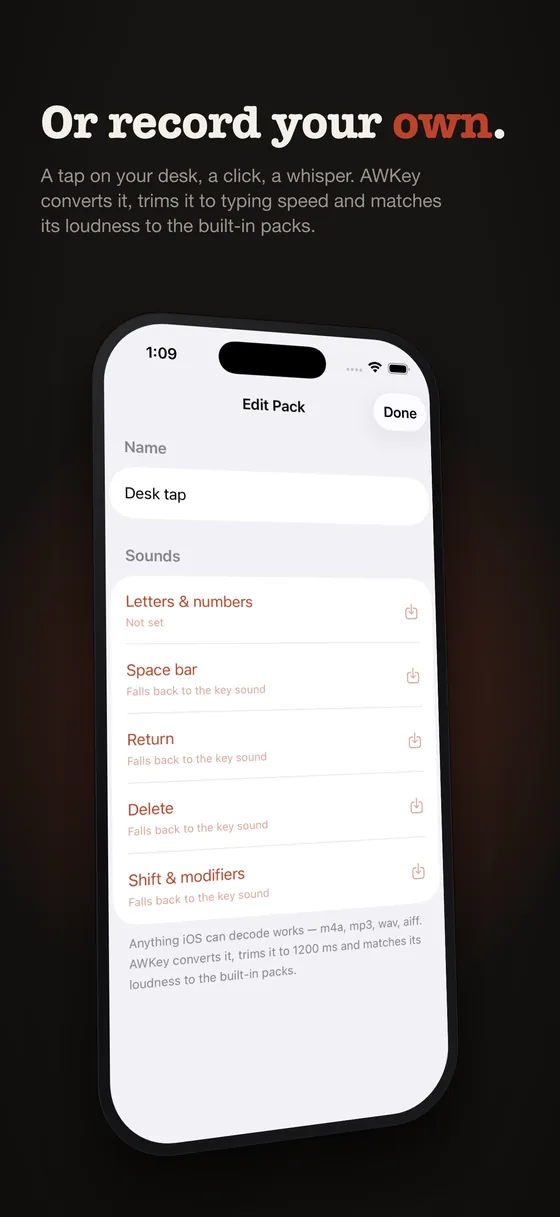
Or record anything.
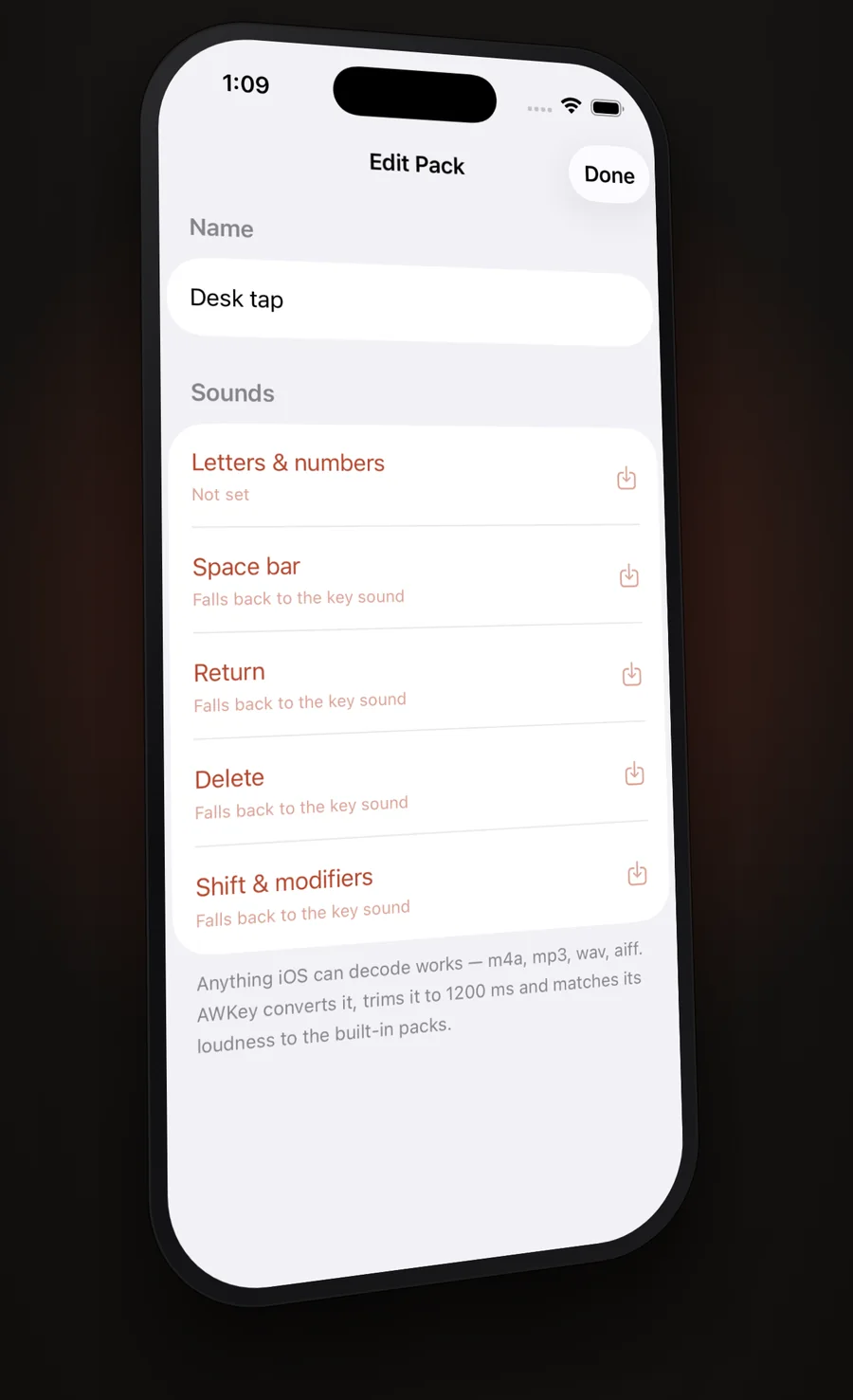
A tap on your desk, a click, a whisper, a word. Anything iOS can decode — m4a, mp3, wav, aiff — becomes a pack: AWKey converts it, trims it so it does not overlap itself at typing speed, and matches its loudness to the built-in packs so it is neither a whisper beside them nor a shout.
Give the space bar, return, delete and the modifiers their own sounds, or record one and let every key fall back to it. Five haptic strengths underneath, with modifiers a touch firmer than letters.
Sound and haptics live in the app's Feel tab and in the keyboard's paint panel; both persist across every theme.
Fonts and styling
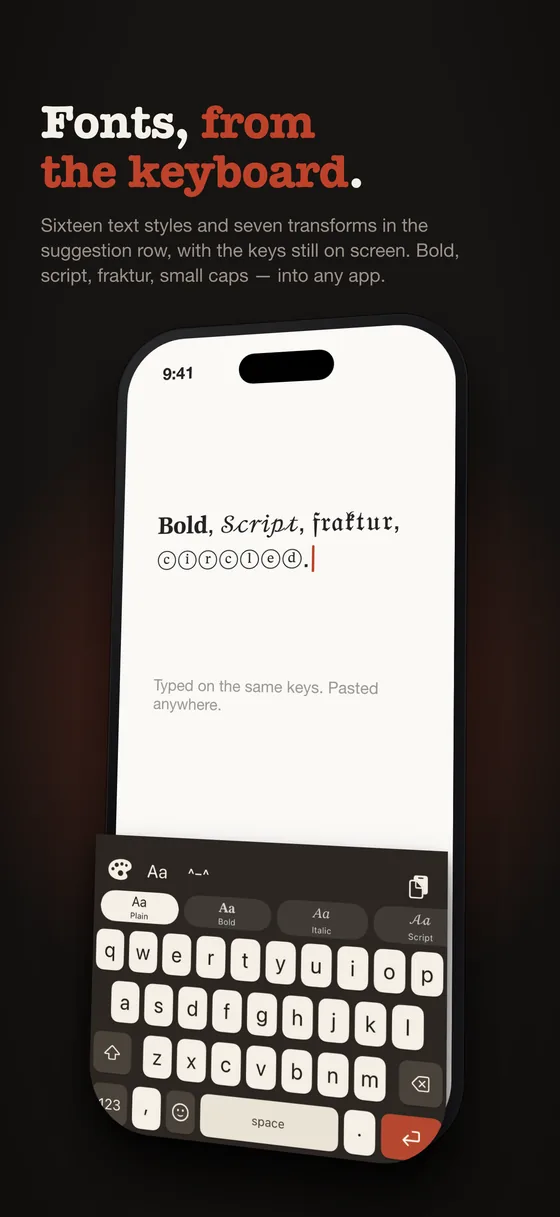
Bold, script, fraktur — from the keyboard.
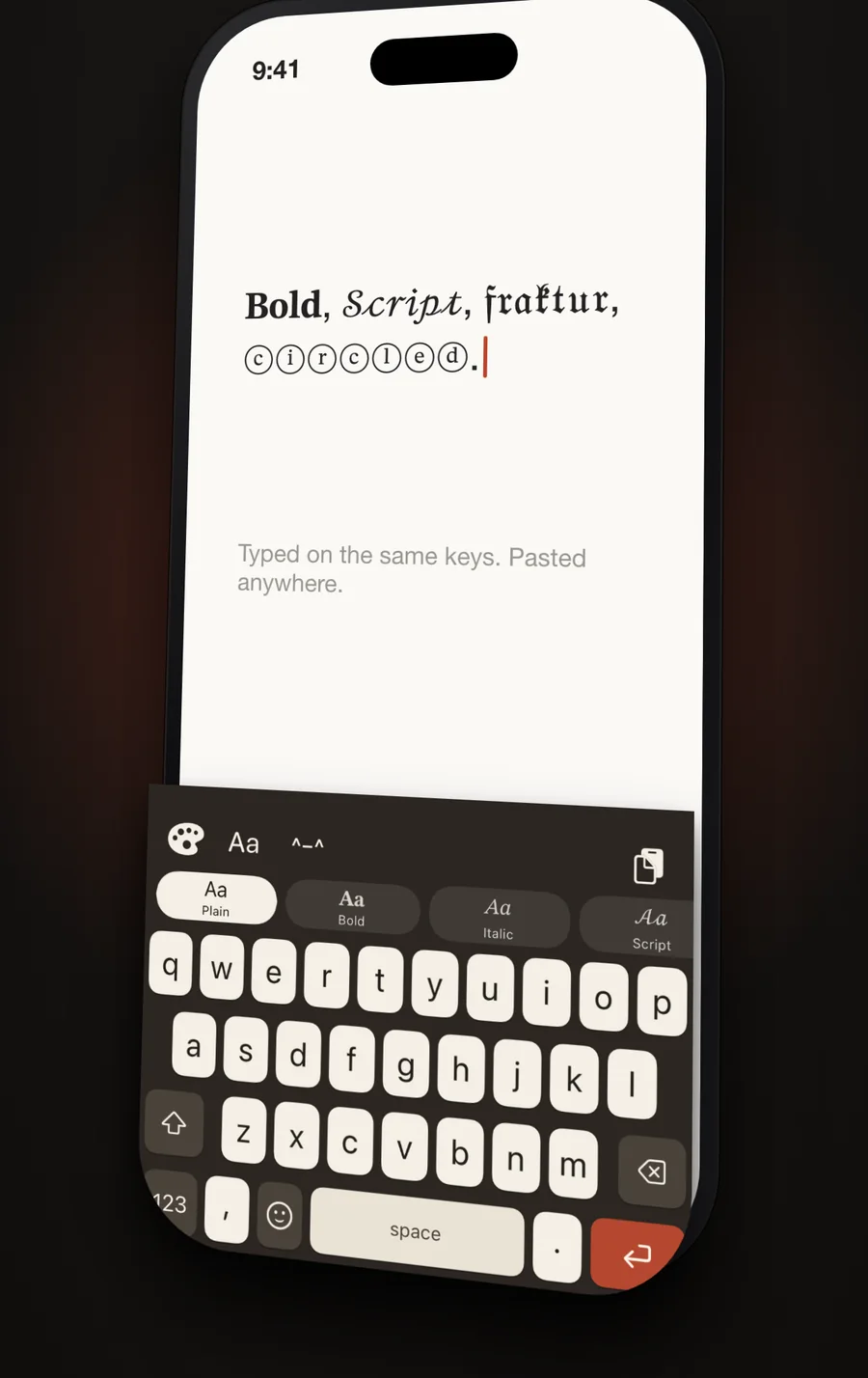
Sixteen text styles that paste into any app as ordinary text: bold, italic, script, fraktur, double-struck, monospace, small caps, circled, squared, superscript, upside down, wide, spaced. Seven transforms that run once over a selection: UPPER, lower, Title Case, Sentence case, snake_case, kebab-case, reverse.
The Styles button opens them in the suggestion row, with the keys still on screen. Styling happens while you write, so it cannot cost a trip through a settings panel every time — pick a style, keep typing, it stays lit until you turn it off.
The keys themselves can be lettered four ways — system, rounded, monospaced, or a pixel font drawn dot by dot, because a system font shrunk to eight points turns a "w" into "TVI".
Languages
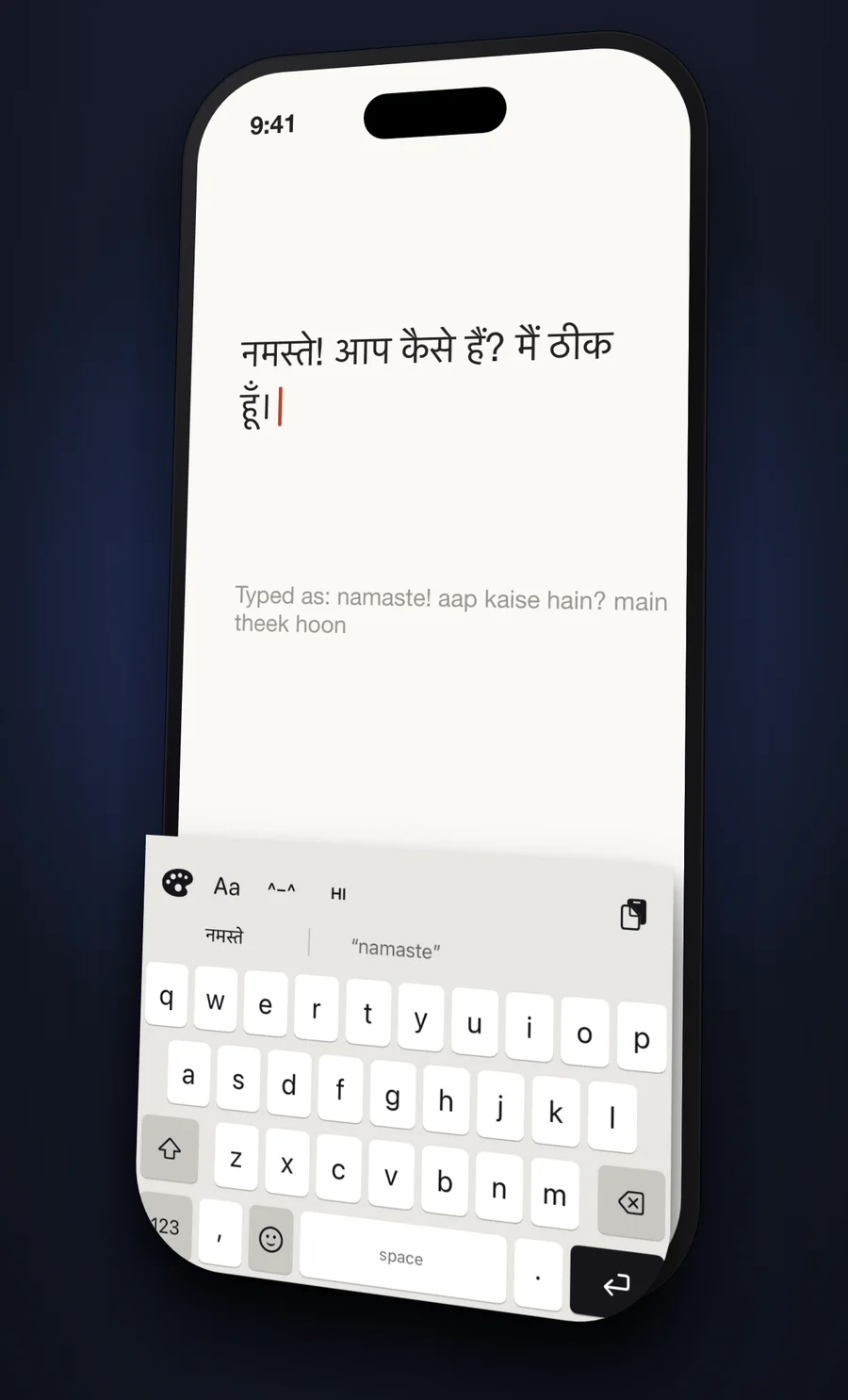
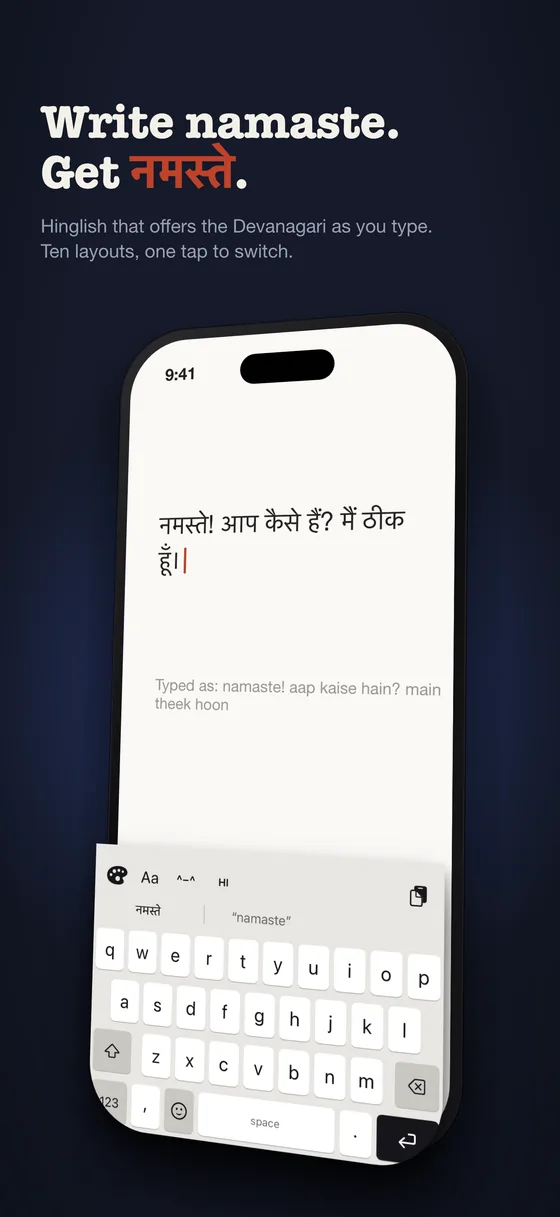
Write namaste. Get नमस्ते.
Hinglish is an ordinary QWERTY board that understands Hindi. Type in English letters and the Devanagari is offered in the suggestion bar — offered, never substituted. Nothing you typed is ever rewritten behind you, and the plain Latin is always one of the options, so refusing it is one tap and never a trap.
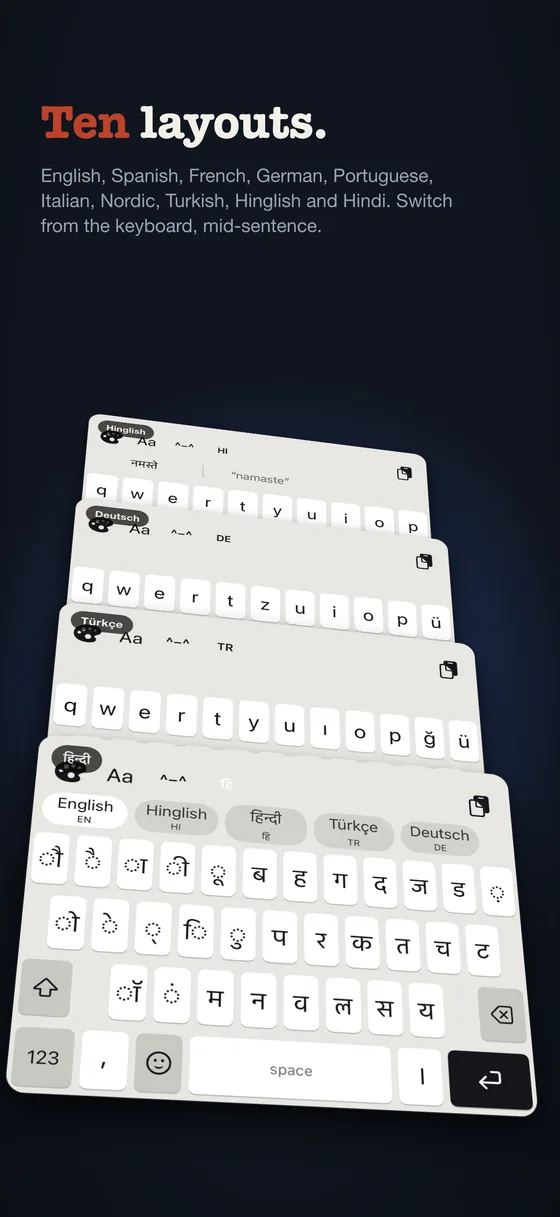
Ten layouts in total: English, Spanish, French, German, Portuguese, Italian, Nordic, Turkish, Devanagari and Hinglish. English alone is on by default, so the switcher never appears for people who do not want it.
At a glance
The whole of it, in fourteen screens.
Choosing a keyboard
Which iPhone keyboard should you pick?
Straight answers to the questions people search for, including the ones where the honest answer is "not this one".
What is the best free custom keyboard for iPhone?
Judge a free keyboard on what it withholds. Most are free the way a trial is free: the sounds are locked, the layouts are locked, and after a week the keyboard you type on is the one you did not pay for. AWKey withholds nothing that affects typing — every feature, every layout, the Studio, photo backgrounds, sound import and clipboard history are free forever — and gives away one keyboard on every shelf, whole, so you can type on each kind before deciding.
What is the best paid keyboard theme on iOS?
A paid theme is worth paying for when you could not make it yourself. AWKey Pro sells exactly that: keycaps with a real moulded dish, boards where every key is a drawing, a button that sinks into its housing, a tile that lights as you type. One keyboard on every shelf is free permanently, so nothing is bought on faith. One payment, no subscription, nothing expires.
Is AWKey better than the built-in iPhone keyboard?
For appearance, sound and feel: yes, by a wide margin — per-key colour, photo backgrounds, real typewriter recordings and a backlight are things the system keyboard simply does not have, and AWKey's key positions are measured against it to within a third of a point so muscle memory carries over. For prediction: no. Apple's keyboard learns from everything you type in every app, and no third-party keyboard is allowed that data. AWKey's suggestions are good; Apple's know you.
Which iPhone keyboard is most private?
The one that cannot send anything. Every keyboard sees what you type; the question is what it can do with it. AWKey contains no networking code at all — no analytics, no accounts, no crash reporting, no advertising SDK — so its App Store privacy answer is "Data Not Collected", and that is a property of the binary rather than a promise in a policy.
What is the best keyboard for typing Hindi on iPhone?
It depends on how you already type it. If you write Hindi in English letters, as most people do on a phone, AWKey's Hinglish board keeps QWERTY under your fingers and offers नमस्ते in the suggestion bar when you type "namaste" — never rewriting what you typed. If you want the script itself, there is a full Devanagari layout. Both are free.
What makes AWKey different from other iPhone keyboards?
Three things you cannot get elsewhere. A comma and a full stop on the letter plane, either side of the space bar, and you choose what those two keys type. Clipboard history inside the keyboard, so what you copied is where you are typing. And per-key colour — one key, one colour, not a theme applied to the board. The rest of what AWKey does, other keyboards do too; those three are the reasons to switch.
What does AWKey not do?
No swipe typing. No iPad version. Word prediction beyond the dictionary is English-only, so other languages get spelling and correction but not completions. And Full Access is needed for haptics and clipboard history, because iOS allows a keyboard neither without it. If any of those is the thing you need most, another keyboard is the right answer.
Privacy
There is nothing in AWKey that can send anything
A keyboard sees everything you write. That is not a policy question, it is what a keyboard is. The question is what happens next, and here the answer is structural rather than promised: the app contains no networking code at all. No analytics, no accounts, no crash reporting, no advertising SDK, no third-party dependency of any kind.
Your themes, your learned words, your clipboard and your settings live on your phone, in your own app container. Photos are chosen through Apple's out-of-process picker, so AWKey never gets access to your library — only to the one image you handed it. The only network traffic the app is involved in at all is the App Store's own, when you buy or restore the Pro unlock, and that conversation is between your device and Apple.
Pricing
Every feature is free
A keyboard whose typing is behind a paywall is a keyboard nobody keeps, so everything AWKey does is free — every feature, on every shelf, for everyone. What is sold is the keyboards themselves.
One keyboard on every shelf is free, permanently. Not a trial and nothing withheld: the whole thing, so you can type on a moulded cap, a picture key, a lit board and a 1995 title bar before deciding whether the rest is worth anything to you.
AWKey
Free, and not a trial.
Free
- One keyboard from every shelf, yours for good
- The Studio, and per-key colouring
- Your own photos as backgrounds
- All 25 sound packs, plus your own recordings
- Clipboard history and pinned snippets
- All ten layouts, lighting and haptics
- Theme sharing by file or short code
AWKey Pro
One payment. Yours for good, on every device you sign in on.
One-time
- Every other keyboard, on every shelf
- Sculpted, Illustrated, Constructed and Featured
- Scenes, Anime, Tactile, Retro, Machines, Lit and Classic
- Try one from every shelf before you buy
- No subscription, and nothing expires
Questions
The things people actually ask
Can AWKey see what I type?
It can, because every keyboard on every platform can — that is what a keyboard is. What matters is where that goes, and in AWKey it goes nowhere. There is no networking code in the app or in the keyboard extension: nothing you type is stored off your device because nothing in the app is capable of sending it.
Why does it ask for Full Access?
Two things stop working without it. Haptics: iOS only lets a keyboard extension drive the Taptic Engine with Full Access — without it the calls succeed and produce nothing at all. Clipboard history: reading the pasteboard requires it too. Themes, sounds, layouts and lighting all work without it. Full Access does not hand AWKey a network connection, and AWKey has no networking code to use one with.
Is it free?
Yes, and not as a trial. Every feature is free forever — the Studio, per-key colour, photo backgrounds, sound import, the clipboard, every layout, lighting and haptics — and one keyboard on every shelf is free with it. Pro is one optional payment for the rest of the keyboards. No subscription, nothing expires.
Why does iOS keep asking to let AWKey paste?
Since iOS 16, every programmatic read of the pasteboard raises that dialog, for every app, and no entitlement exempts a keyboard. You can turn it off for good in Settings → Apps → AWKey → Paste from Other Apps, set to Allow. AWKey also ships with clipboard auto-capture switched off.
Does it work offline?
Entirely. There is nothing in it that expects a connection. Spelling, correction, the word predictions and the Hindi transliteration all run on the device.
Will my themes survive an update, or a new phone?
Themes you make are stored with your app data and come across in an encrypted device backup like anything else. You can also export any theme you made as a file or a short code and open it anywhere. The Pro unlock is tied to your Apple Account rather than to a device, so it follows you — and Restore purchase is on the Setup screen, not buried behind a paywall.
How do I install a custom keyboard on iPhone?
Open Settings → General → Keyboard → Keyboards, tap Add New Keyboard and choose AWKey. Tap AWKey again to turn on Allow Full Access if you want haptics and clipboard history. Then in any app, hold the globe key on the keyboard and pick AWKey. AWKey's Setup tab shows the same steps and ticks them off as you go.
Can I change what the keys on the keyboard type?
Yes, for the two keys either side of the space bar. AWKey puts a comma before the space bar and a full stop after it, so the two commonest marks never need a trip to the 123 plane — and you can set either one to any character you like, from a list of common marks or by typing your own. The number and symbol planes keep their ordinary comma and full stop so decimals still work, and in an address bar the full stop key reverts so example.com stays typable.
Does AWKey have swipe typing?
No. AWKey types on touch-down like the system keyboard and has no glide or swipe input. If swipe typing is essential to you, AWKey is not the right keyboard yet.
Is AWKey available on iPad or Android?
No. AWKey is iPhone only. Every layout constant was measured against the iPhone system keyboard, and there is no Android or web version.
Does AWKey keep working when new themes are added?
Yes. New themes arrive with app updates and are added to the existing shelves; nothing you already have is removed or moved behind the paywall. A theme you made yourself is always yours.
Can I type in bold, italic or script on iPhone with AWKey?
Yes. The Styles button opens sixteen text styles in the suggestion row — bold, italic, script, fraktur, double-struck, monospace, small caps, circled and more — with the keys still on screen. They paste into any app as ordinary Unicode text, so they work in messages, captions and bios without the other app supporting formatting.
Can I use my own sounds as keyboard sounds?
Yes. Create a sound pack in the app's Feel tab and import any recording iOS can decode — m4a, mp3, wav or aiff. AWKey converts it to WAV, trims it to typing speed and matches its loudness to the built-in packs. You can give the space bar, return, delete and modifiers their own sounds or let every key fall back to one recording.
Does AWKey change what I have typed?
Only where you would expect a keyboard to, and timidly. A correctly spelled word is never touched, words under three letters are left alone, anything with a digit or a symbol is skipped, and a word you have taught it is never corrected away. Fields that ask for autocorrect to be off — usernames, licence keys, coupon codes — are honoured. On the Hinglish board, nothing is rewritten at all: the Devanagari is offered and you tap it or you do not.